
SafeZone Wearable Prototype
A wearable app made for smartwatches to encourage safety and smart traveling for users.
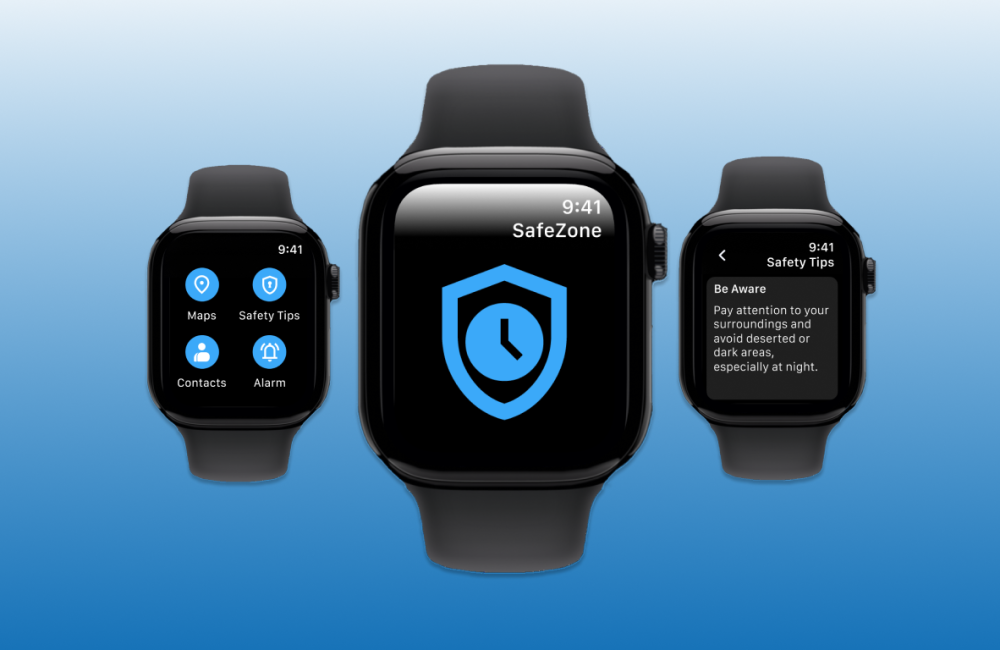
The Users for the SafeZone Wearable App are people who love to travel but always want to think of their safety first. Users want to be alerted when they are not in a safe area and what areas are safe. Users want suggestions on places they are safe to go to and where to have fun.
My Role(s): UX Researcher, UI Designer, Wireframing, Prototyping, etc. Project Duration: November 2024 - May 2025 Tools Used: Figma The Problem: Traveling in unknown areas without knowing where to safely stay, eat, sleep, party, etc. The Solution: An app that helps users who love to travel know when and where they are going while traveling. The Impact: Users have suggestions on places they can go and explore while also being safe by being alerted in unsafe areas and also are given safety tips throughout their trip.
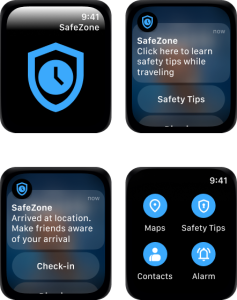
Goals: To find a solution for when traveling and people end up in unsafe areas.
Objective: To create an app that helps users know where and when to go places while traveling.
User Research:
User interviews and surveys
All of my users are young adults who travel at least once or a few times a year. A couple of my users feel safe to travel alone and few of them do not. All of my users have pretty good ideas of how to be safe while traveling like staying in groups or doing research on the area beforehand. Overall, most of my users think the idea of safety tips are good to follow or find them helpful.
Competitive Analysis:
bSafe Safety app has features that allow users to talk to someone live, be able to trigger an SOS activation, rapid response for emergency services, and automatic recordings in case of an emergency. My wearable prototype would trigger an alarm in case of danger as well as fast features to call someone if needed.
TravelSAFE has features like an SOS button that directs you to call emergency services if needed. Map that shows safer areas and suggested places to be. My prototype gives users directions if needed as well as giving safety tips when in sketchy areas.
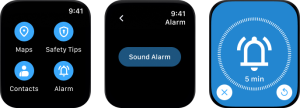
I generated my ideas through sketching and ideating on different app designs for a wearable device. I came up with the idea for a safety app after thinking about what a user would want on their apple watch that they can easily access on a phone or other device. People can use their phone to call emergency services, get directions, and look up places to go while staying in a common safe area. If I were in danger or needed to access a person or location as soon as possible I would want to use my watch, especially if I didn't have quick access to my phone. I decided on using a light blue color because it seems calm when someone is in danger or needs to access someone or something asap. I also choose a simplistic design so that users can quickly access what they need to find.
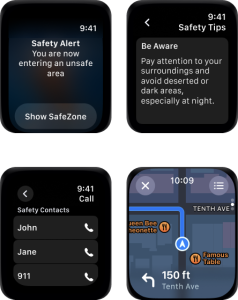
During a user testing I had users do a press test to see where they would click on the screen after asking them questions. Example: “Where would you press if you needed to make an emergency call?” and see if my user would press the contact button. I picked certain features for my idea through doing a user survey and asking my users questions based on what they would want in an app to keep them safe while traveling. My successes while conducting my tests were that I got a lot of feedback from my users of how they stay safe while traveling. There were setbacks in deciding on what ideas to incorporate into my design while keeping the design simple and not complicated. My design is calm and clean to make things easily accessible for my users.
Contact
Contact me to discuss your design needs. Let’s bring your ideas to life!
- 309-868-0431
- allytaylon@gmail.com